New in version 0.1.24
Diagrams that stay true
to your roadmap.
Swimlanes, journey maps, service blueprints, story maps and system context diagrams, laid out for you in your brand colours and linked to the roadmap items that deliver them. Every picture shows what is live, what is planned, and what is still missing.
Free in the Roadmap Flow desktop app. No drawing skills needed.
The pictures around a roadmap go stale
A process in Visio, a journey on a whiteboard, an architecture sketch in a slide. They take an afternoon to draw, look home-made, live in other tools, and are wrong the week priorities change.
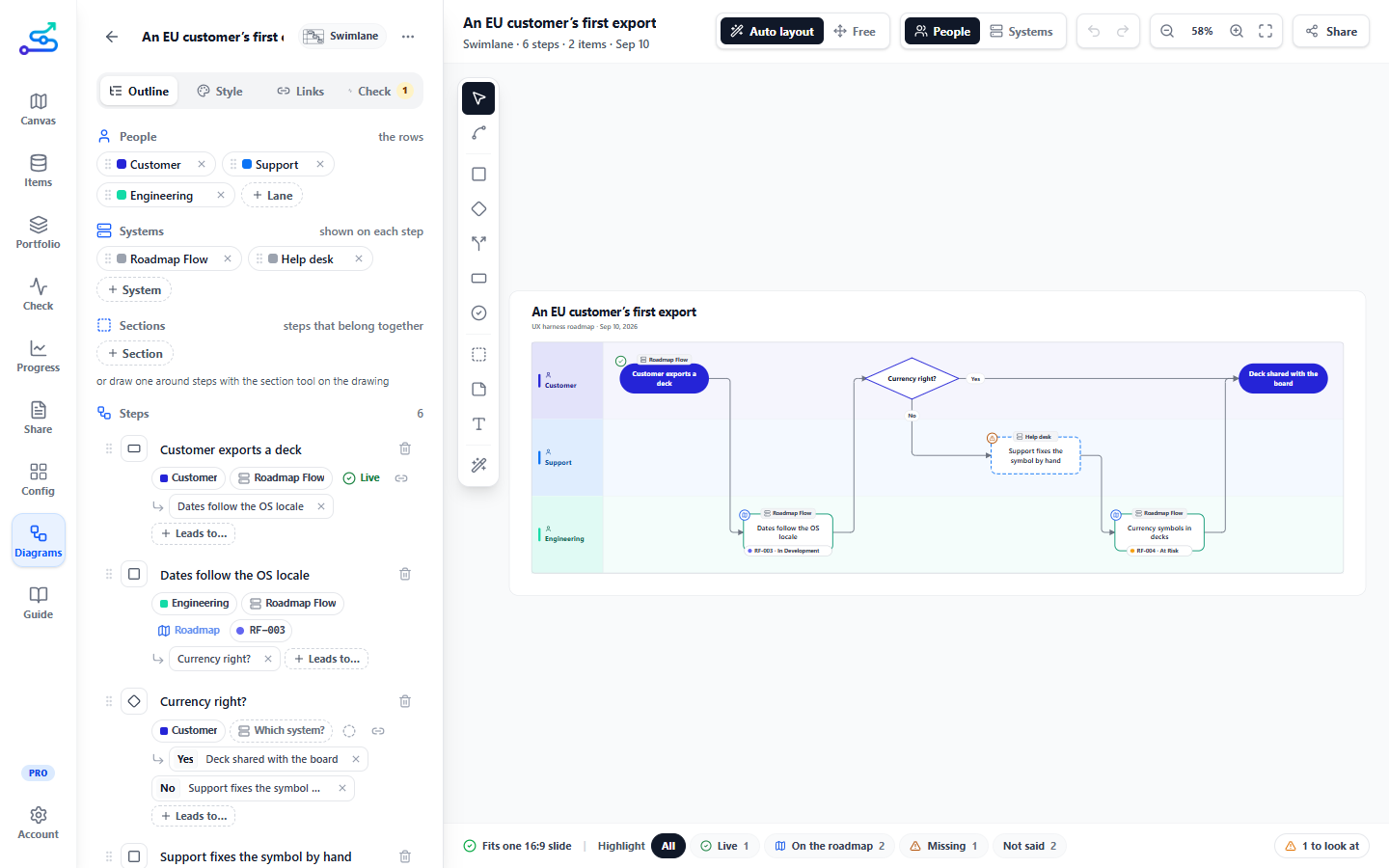
Roadmap Flow draws them beside the roadmap, from the same items. When a feature ships, the step it delivers turns live. When it slips, the diagram still says it is planned, linked to the item that says when.
Write the steps as a list. The app places every shape, routes every line and keeps each label readable. Move things by hand only when you want to.
Link any step to features, epics or initiatives. Their status shows on the shape, and the step follows them as they move.
In your brand colours, checked for gaps before you share it, and one click from Figma, a slide or the roadmap deck.
Show what is live, planned or missing
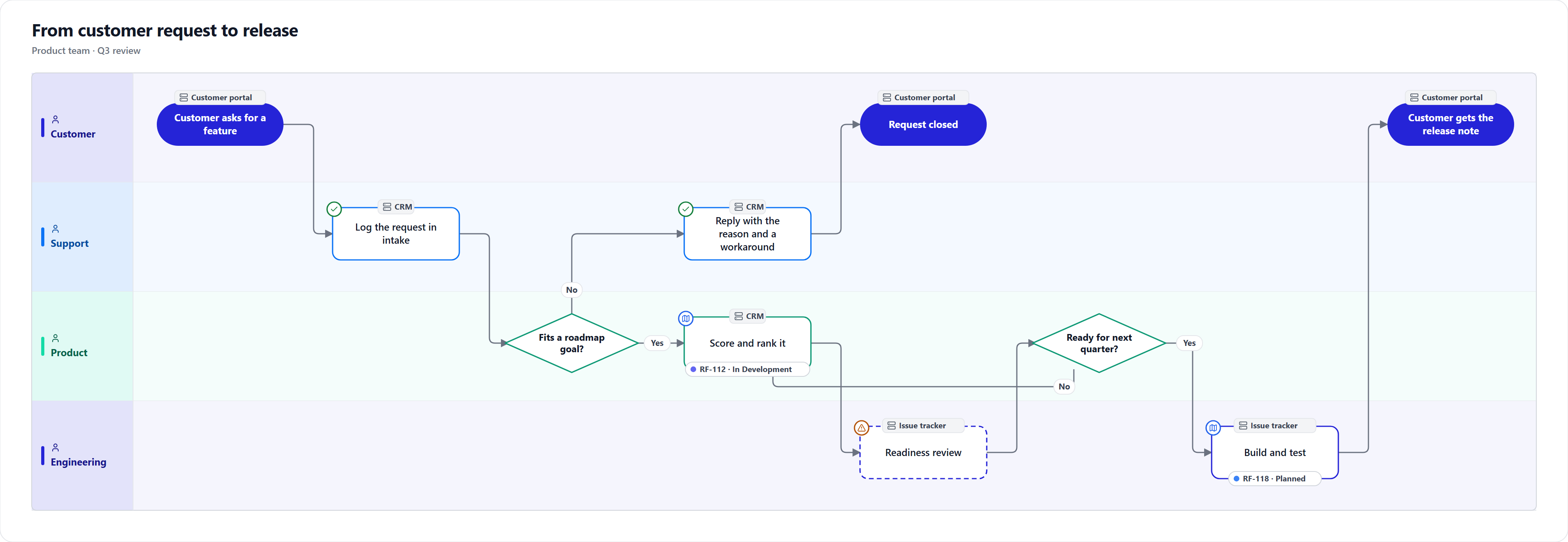
The question a review always asks is "what is actually built?" Mark each step, or let the roadmap answer for it.
Highlight dims everything except the live, the planned or the missing steps, so you can walk a stakeholder through exactly what still has to be built.
- Live Built and running today. A step linked to shipped items turns live by itself.
- On the roadmap Planned, and linked to the features, epics or initiatives that deliver it, with their status on the shape.
- Missing Needed, and nowhere on the roadmap yet. Drawn dashed, so the gap is the first thing people see.
Every system, drawn as what it is
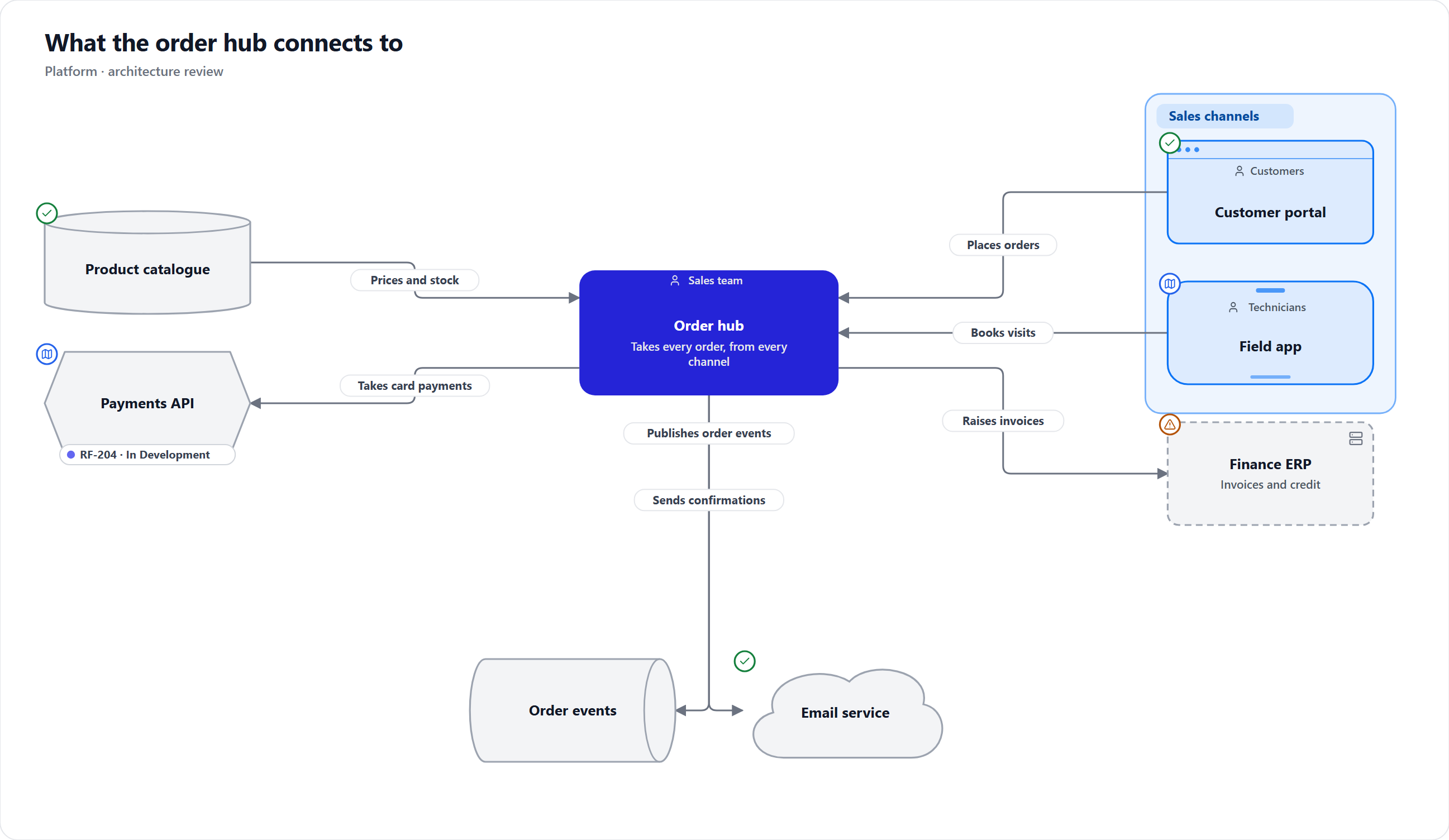
A system context puts your product in the middle and everything it exchanges data with around it, the picture engineering, security and partners ask for before they commit.
- Systems drawn by kind: web app, mobile app, service, database, queue, files, cloud service.
- Who uses each system, written on it, or nobody for a back end.
- Boundaries such as Our company that can hold other boundaries, and lines that run to and from them.
- Lines that find their own way around shapes, merge where they run together, and say what flows along them.
From the customer's side, and the release plan's
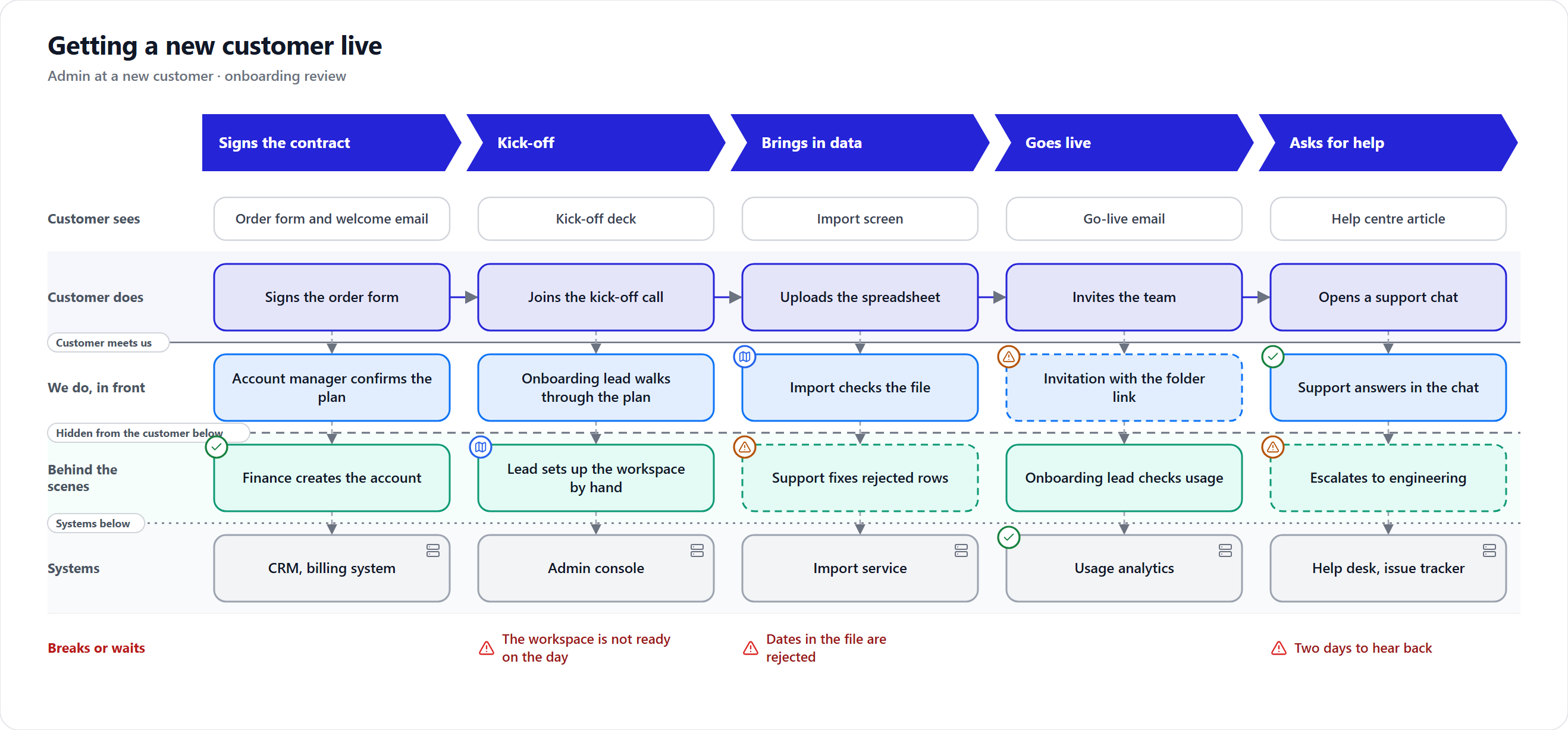
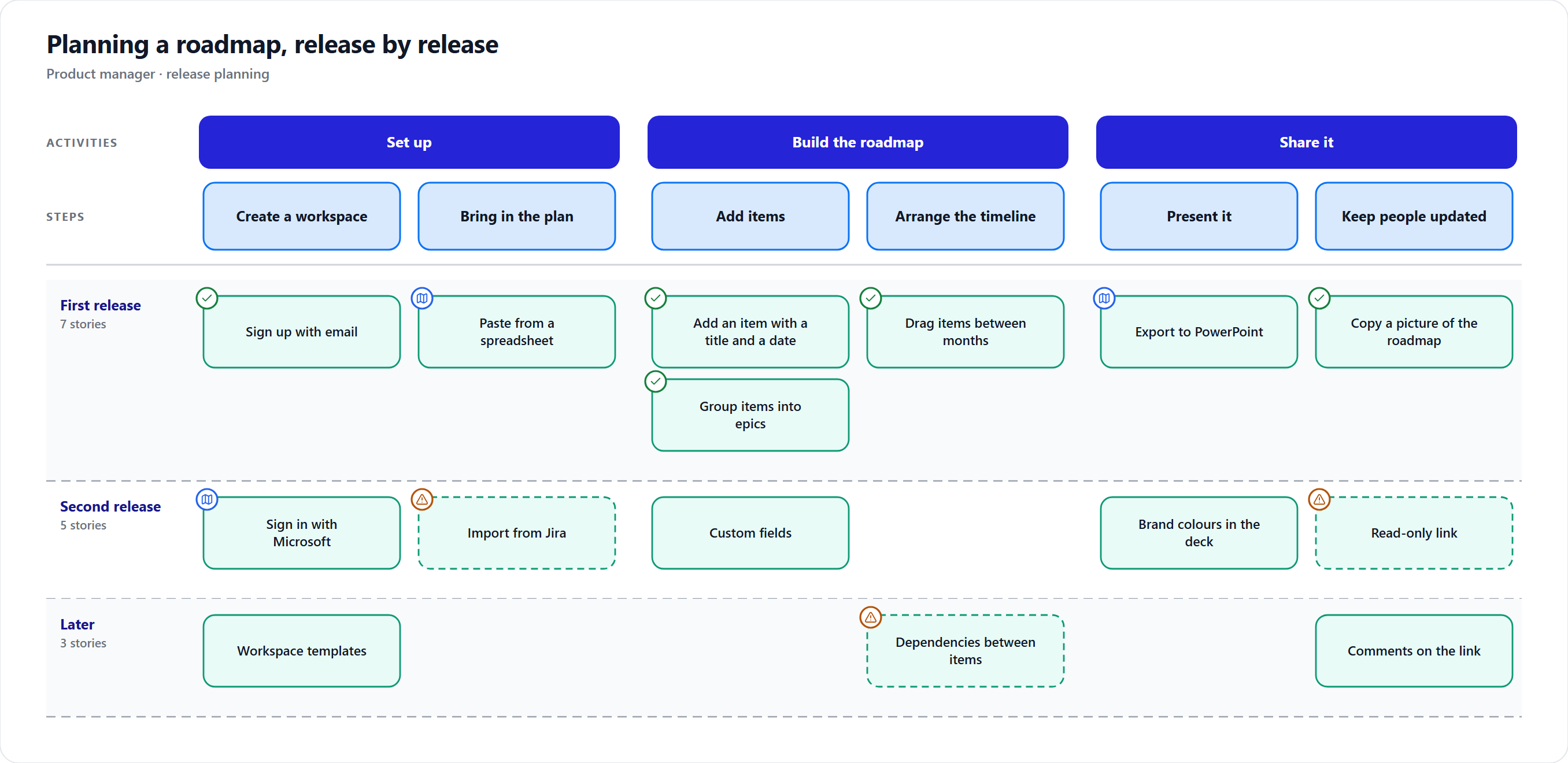
A service blueprint shows what happens behind each stage of a service. A story map slices the work into releases you can ship end to end.
Nine kinds, each with a reason to exist
Not sure which one you need? Guide me asks what you are trying to explain and starts you from a filled-in example or just the structure.
- Swimlane process
- A request that travels between teams or systems.
- Flowchart
- A rule people follow, with decisions and paths that run side by side.
- User journey map
- Where the roadmap removes a customer's pain, stage by stage.
- Service blueprint
- What happens behind each stage, down to the systems.
- Story map
- A first release that works end to end, then what comes after.
- System context
- What a product touches, before anyone commits to it.
- Opportunity solution tree
- Why an item is on the roadmap and what it should change.
- Mind map
- A goal, a launch or a whole roadmap on one slide.
- 2×2 matrix
- Value against effort before a prioritisation call.
Lines that behave like Figma's
Point at a shape and drag from one of its dots to draw a line, or into empty space to add the next shape. Whatever the line will attach to lights up as you drag. Drag a line's ends to any point on an edge, or its handles to send it another way, and it keeps that route when shapes move.
Frame steps that belong together in a named section, in any colour and as see-through as you like, and move it with everything in it.
Shared the way your reviews already run
- Copy into Figma as editable shapes, or save a picture or SVG, on every plan.
- A PowerPoint slide or PDF page of any diagram, and diagrams added to the roadmap deck, on Pro.
- A check before you share: a question with one answer, a step nobody owns, a link to work that is at risk.
- Saved in your workspace folder beside the roadmap, so everyone sharing the folder sees the same diagrams.
Diagrams that learn from each other
Once one diagram is filled in, the next one starts from it. A journey offers a blueprint and a story map; a swimlane that names its systems offers a system context built from its hand-overs. Draw from a roadmap of your choice, or bring in Mermaid text or an outline you already have.
What it is not
Not a whiteboard for ten people at once, and not a replacement for your architecture tools. Diagrams explain a roadmap; the roadmap still decides what happens when.
Draw your first diagram in minutes.
Diagrams come with the free desktop app. Read how they work in the Field Guide.
Download Roadmap Flow